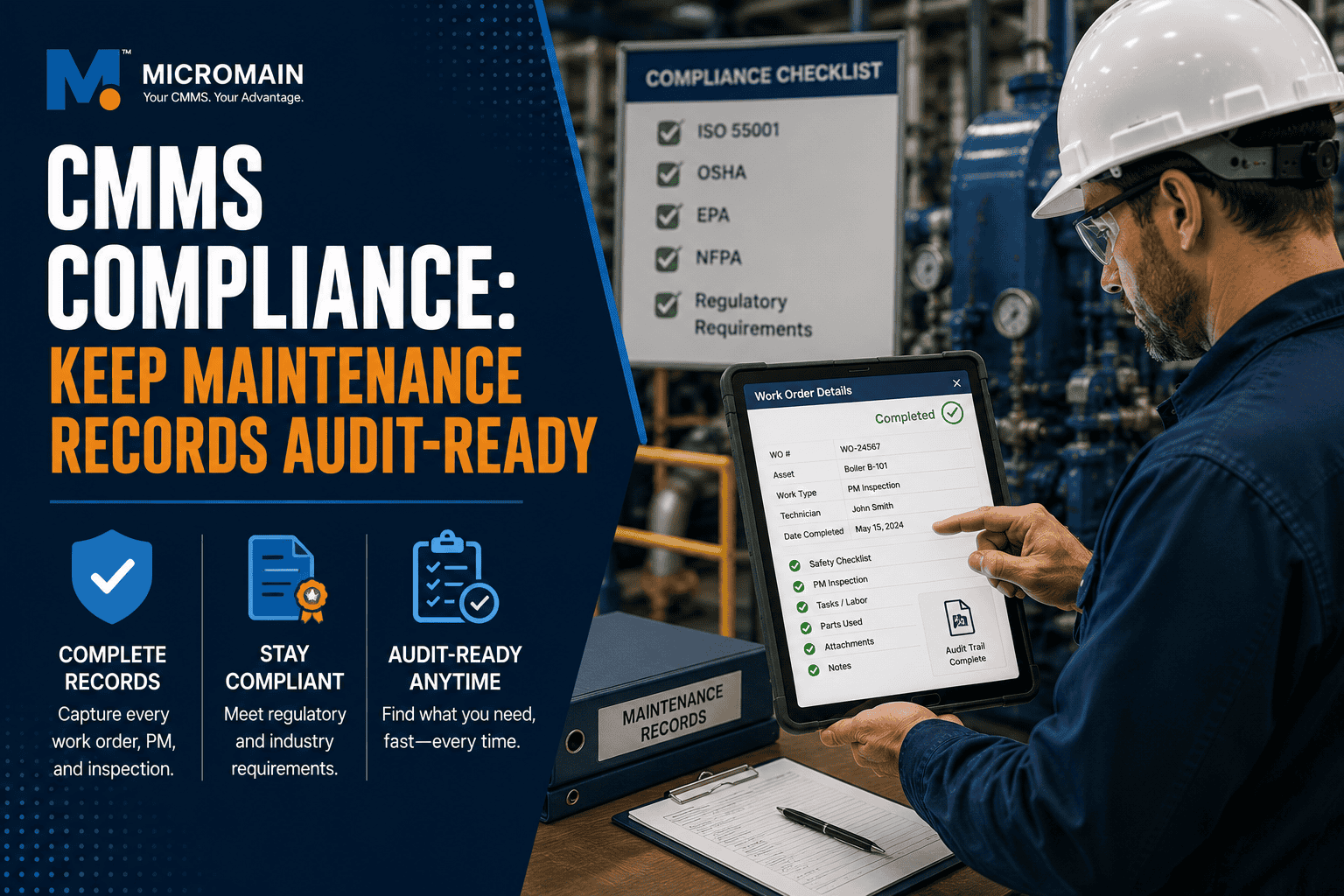
CMMS Compliance: How to Keep Maintenance Records Audit-Ready Without Scrambling
When an audit, inspection, safety review, customer request, or compliance check appears, maintenance teams often face one simple question: can you prove the work was done? That proof rarely comes from memory — it comes from work orders, preventive maintenance history, inspection checklists, calibration records, corrective actions, asset history, photos, and reports.
If those records are scattered across paper forms, spreadsheets, emails, binders, and technician notes, audit preparation becomes stressful. CMMS compliance means using computerized maintenance management software to keep documentation organized, traceable, and ready before someone asks for it.
The best time to prepare for an audit is every day work gets documented correctly, not the week before.
Teams often complete the work but fail to document it well enough to prove it later.
A traceable record of who did what and when replaces reliance on memory or scattered files.
Teams still need the right procedures, training, ownership, and review habits.
In This Guide
What Is CMMS Compliance?
CMMS compliance is the use of a computerized maintenance management system to support maintenance-related documentation, inspections, preventive maintenance, corrective work, audit trails, reporting, and recordkeeping.
In practical terms, CMMS compliance helps maintenance teams answer questions such as:
- Was the required maintenance completed, and when?
- Who completed it, and which asset was affected?
- What checklist, procedure, or inspection did the technician use?
- Did the team document findings and create corrective action?
- Is there a clear history if an auditor asks for evidence?
CMMS compliance is not just about passing audits. It also supports safer operations, clearer accountability, stronger asset history, and more reliable maintenance decision-making.
Why Maintenance Documentation Matters for Audits
Audits and inspections often focus on evidence. It is not enough to say that maintenance was performed — teams may need to show records confirming when the work happened, who completed it, what they checked, what they found, and what corrective action followed.
Maintenance documentation matters because it helps prove:
- Technicians completed preventive maintenance on schedule
- Technicians performed required inspections
- Safety or compliance tasks were not ignored
- The team created and tracked corrective actions
- Technicians maintained assets according to internal procedures
- Records are complete enough to support review
- Leadership can identify overdue, missed, or high-risk work
Without organized records, teams may still be doing the work, but they may struggle to prove it. That is where audit readiness breaks down.
The Compliance Risk of Maintenance Records
Maintenance compliance risk usually comes from documentation gaps, not just missed work. Common risks include:
- PM tasks completed but not documented
- Inspections recorded on paper but never centralized
- Work orders closed with vague notes such as “done” or “fixed”
- Overdue PMs hidden in a long backlog
- Corrective actions created but never followed through
- Calibration or safety tasks tracked outside the CMMS
- No clear audit trail for who changed records or when
- Reports that require manual cleanup before anyone can share them
Teams do not create audit-ready maintenance the week before an audit. Instead, they build it through daily documentation habits.
What Maintenance Records Should Be Audit-Ready?
The exact records depend on your industry, assets, regulations, contracts, and internal policies. However, most maintenance teams should keep several categories of records organized and easy to retrieve.
Work Orders
Work orders show what work was requested, assigned, completed, and closed. Audit-ready work orders should include the work order number, asset or location, request date, work type, priority, assigned technician, completion date, labor hours, parts used, completion notes, and photos or attachments if needed. A work order should tell a complete enough story that someone outside the maintenance team can understand what happened.
Preventive Maintenance Records
PM records are especially important because they show whether required work was completed on time. They should show the PM task name, asset, frequency, due date, completion date, assigned technician, checklist results, findings, corrective work created, and missed, overdue, or deferred tasks. PM compliance reporting helps teams see whether they are completing required preventive work consistently.
Inspection Checklists
Inspection checklists help standardize what technicians review during recurring inspections. Audit-ready inspection records may include checklist items, pass or fail results, measurements or readings, photos, technician notes, deficiencies found, corrective actions, and reviewer approval if required. The checklist should not just prove that someone clicked complete — it should show what they actually inspected.
Calibration and Safety Tasks
Some organizations need to document calibration, safety checks, emergency equipment inspections, or other controlled maintenance activities. These records may include the asset or instrument ID, required interval, procedure used, technician or qualified person, results or readings, pass or fail status, next due date, and corrective action if out of tolerance. If these tasks live outside the CMMS, teams should still be able to connect them easily to asset history and audit reports.
Corrective Actions
Auditors and inspectors may ask what happened after someone found an issue. Corrective action records should show the original finding, related asset or inspection, corrective work order, assigned owner, due date, completion notes, and verification or review if required. Finding a problem is only half the documentation — the other half is proving that the issue was addressed.
Asset History
Asset history connects work orders, PMs, inspections, failures, repairs, parts, labor, and attachments to a specific asset. Audit-ready asset history helps answer what maintenance technicians performed, whether they completed required inspections, what failures occurred, what corrective actions followed, and whether the asset shows a recurring issue. This is especially useful when an auditor asks for records on a specific asset, location, or time period.
Parts and Labor Records
Parts and labor records help document what resources technicians used to complete maintenance work. These records can support cost reporting, warranty questions, repair history, and accountability, including technician labor hours, parts used, inventory transactions, vendor or contractor work, purchase references if needed, and asset cost history.
What Is a CMMS Audit Trail?
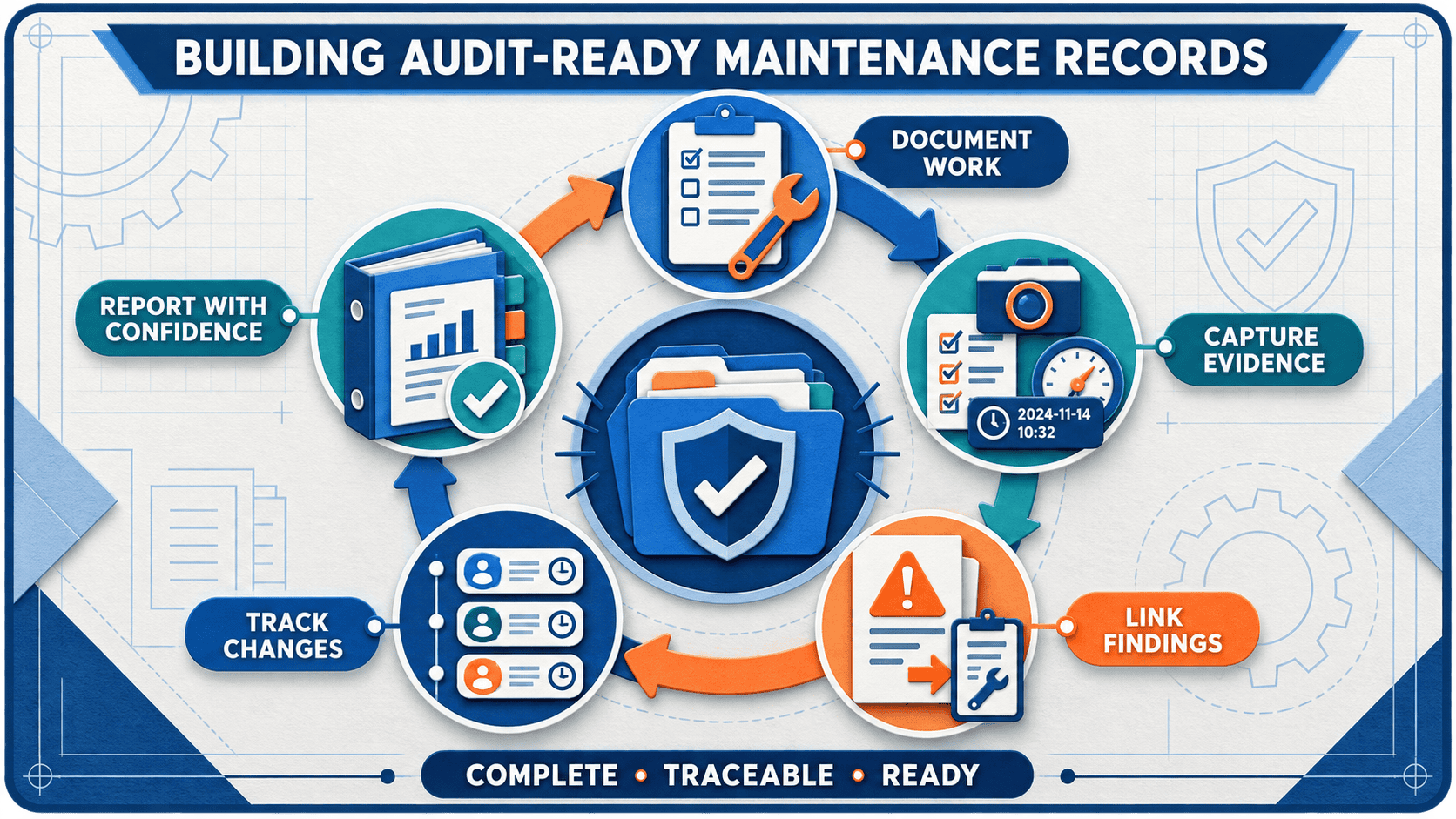
A CMMS audit trail is a traceable record of maintenance activity and changes inside the system. It may show who created a work order, when someone created it, who updated the status, who completed the task, when they completed it, what notes or attachments they added, whether someone modified the record, and which related corrective actions the team created.
Audit trails matter because they support accountability and traceability. Instead of relying on disconnected files or memory, the CMMS can show the full sequence of maintenance activity.
How CMMS Helps Teams Stay Audit-Ready
A CMMS helps maintenance teams stay audit-ready by making documentation part of daily work instead of a last-minute project.
Centralized Maintenance Records
A CMMS keeps work orders, assets, PMs, inspections, parts, labor, and documents in one system. This reduces the risk of losing records across paper forms, inboxes, spreadsheets, and file folders.
Standardized Workflows
Standard work order fields, PM checklists, inspection forms, and closeout requirements help teams collect consistent information.
Automated Preventive Maintenance Scheduling
Recurring PM schedules help ensure the system generates and tracks preventive maintenance. The CMMS can show completed, open, overdue, skipped, or deferred PM work.
Inspection and Checklist Documentation
Digital checklists can make inspection records more consistent. Teams can capture readings, pass or fail responses, notes, photos, and follow-up work.
Corrective Action Tracking
When inspections or PMs uncover problems, teams can create follow-up work orders and track them through completion.
Reporting and Exports
A CMMS can help teams filter records by asset, location, date range, work type, technician, priority, or completion status. This makes audit preparation faster and less dependent on manual data gathering.
How to Build an Audit-Ready Maintenance Process
Define Which Records Matter
Identify the maintenance records your organization must produce, based on industry requirements, internal policies, customer expectations, and asset risk.
Standardize Work Order Documentation
Decide what information work orders must capture. Keep required fields practical, but complete enough to support review.
Build PMs and Inspections Around Evidence
PM tasks and inspection checklists should document what technicians actually checked, measured, repaired, or found.
Track Overdue and Missed Work
Make overdue PMs, missed inspections, and deferred tasks visible, reviewed, and addressed — not buried in the backlog.
Link Corrective Actions to Findings
When an inspection finds a problem, create a corrective work order and link it to the original inspection, PM, or asset record.
Attach Supporting Evidence
Use photos, manuals, reports, forms, or documents when they help prove completed work or clarify what technicians found.
Review Reports Before You Need Them
Do not wait for an audit to test your reports. Regularly check whether the CMMS can produce what auditors or customers may request.
Assign Ownership
Assign responsibility for PM setup, work order quality, inspection checklists, asset records, overdue work review, and report accuracy.
Audit-Ready Maintenance Records: Quick Reference
| Record Type | What It Should Show | Why It Matters |
|---|---|---|
| Work orders | Request, asset, priority, completion, labor, parts, notes | Proves maintenance activity and supports asset history |
| PM records | Due dates, completion dates, checklist results, overdue tasks | Shows whether recurring required work was completed |
| Inspection checklists | Pass or fail results, readings, findings, photos | Documents what was inspected and what was found |
| Corrective actions | Finding, owner, due date, completion, verification | Shows how issues were resolved |
| Asset history | Work orders, PMs, repairs, parts, downtime, attachments | Creates traceable records by asset |
| Audit trail | User actions, timestamps, status changes, record updates | Supports accountability and traceability |
Common Compliance Documentation Mistakes
- Completing the work but not documenting it: Undocumented work can be hard to prove later. Completion notes, timestamps, checklist results, and attachments create evidence.
- Using vague closeout notes: Notes such as “done” or “checked” do not give future troubleshooting or audit review enough detail.
- Letting PMs become overdue without review: Overdue PMs may create safety, reliability, or compliance risk. Teams should review overdue work regularly and document decisions around deferment or rescheduling.
- Tracking compliance work outside the CMMS: If inspections, calibration records, and safety tasks live in separate spreadsheets or binders, the team may struggle to produce complete maintenance history.
- Not linking corrective actions to findings: When findings stay disconnected from corrective work, it becomes harder to prove that issues were addressed.
- Not controlling who can edit records: Role-based permissions and approval workflows can help protect record integrity and accountability.
CMMS Compliance Checklist
Use this checklist to improve CMMS compliance and audit readiness:
- Centralize maintenance records in the CMMS
- Define required work order fields
- Use standardized PM and inspection checklists
- Track PM completion, overdue work, and deferred work
- Link corrective actions to inspection findings
- Attach photos, reports, manuals, and supporting documents when useful
- Record labor and parts used on work orders
- Review overdue compliance-related work regularly
- Limit editing permissions where record integrity matters
- Generate sample audit reports before an audit occurs
- Assign ownership for work order quality and report accuracy
- Review maintenance records on a monthly or quarterly basis
CMMS Compliance KPIs to Track
Compliance-related KPIs help maintenance leaders identify risk before an audit or inspection.
| KPI | What It Shows | Why It Matters |
|---|---|---|
| PM compliance | Percent of PMs completed on time | Shows whether preventive work is being executed |
| Overdue PMs | PMs past due date | Highlights audit and reliability exposure |
| Inspection completion rate | Completed inspections versus scheduled inspections | Shows whether checks are happening as expected |
| Corrective action closure | Open versus closed corrective actions | Shows whether teams are resolving findings |
| Incomplete work orders | Closed or open work with missing required fields | Highlights weak documentation quality |
| Audit report readiness | Ability to produce records by asset, date, or work type | Shows whether records can be retrieved quickly |
How MicroMain Supports Maintenance Documentation and Compliance Workflows
MicroMain supports maintenance teams with CMMS capabilities such as work order management, preventive maintenance scheduling, asset management, inventory tracking, reporting, and maintenance documentation.
For compliance workflows, the practical goal is to help teams keep maintenance records organized, traceable, and easier to retrieve. Work orders, PMs, inspection results, asset history, parts, labor, and reports become more useful when they connect in one system.
A CMMS does not guarantee compliance by itself — teams still need the right procedures, training, ownership, and review habits. However, the right system can make audit-ready maintenance records much easier to maintain.
Related Resources
Final Takeaway
CMMS compliance is about being ready before someone asks for proof. Maintenance records should show what work technicians did, when, who did it, which asset it affected, what they found, what corrective action followed, and whether the team completed required tasks on time.
When records are scattered, audit preparation becomes stressful. When teams centralize, standardize, and regularly review their records, they can respond with more confidence.
Start with the basics: work orders, PM records, inspections, corrective actions, asset history, parts, labor, attachments, and reports. Then build a repeatable process for keeping those records complete and audit-ready. The best time to prepare for a maintenance audit is not the week before it happens — it is every day maintenance work gets documented correctly.
Ready to Make Audit Prep Less Stressful?
See how MicroMain can help centralize work orders, standardize PMs and inspections, track corrective actions, and generate audit-ready reports from one system.
Frequently Asked Questions
Understanding CMMS Compliance
What is CMMS compliance?
CMMS compliance is the use of computerized maintenance management software to organize maintenance records, preventive maintenance, inspections, audit trails, corrective actions, and reports that support compliance and audit readiness.
How does CMMS help with maintenance compliance?
A CMMS helps centralize records, standardize work orders, schedule PMs, document inspections, track overdue work, create corrective actions, and generate reports for audits or inspections.
What maintenance records should be kept for audits?
Common audit-ready records include work orders, PM completion history, inspection checklists, calibration or safety task records, corrective actions, asset history, parts usage, labor records, photos, and attachments.
What is a CMMS audit trail?
A CMMS audit trail is a traceable record showing maintenance activity and changes in the system, such as who created, updated, completed, or modified a work order or inspection record.
How do you prove preventive maintenance was completed?
Teams can prove preventive maintenance with completed PM work orders, timestamps, technician names, checklist results, notes, photos, readings, and related corrective work if issues were found.
Managing Ongoing Compliance
How does CMMS help with inspection records?
A CMMS can store inspection checklists, pass or fail results, readings, notes, photos, completion dates, assigned technicians, and corrective work linked to inspection findings.
Why are overdue PMs a compliance risk?
Overdue PMs can create compliance risk because they may show that required maintenance, inspection, safety, or asset care tasks were not completed within the expected timeframe.
How often should maintenance records be reviewed?
Review frequency depends on the organization, but many teams benefit from monthly or quarterly reviews of overdue PMs, incomplete work orders, inspection records, corrective actions, and audit reports.
Can CMMS software help with safety documentation?
Yes. A CMMS can help document safety-related work orders, inspections, PMs, corrective actions, checklists, photos, and asset history. Organizations still need to follow applicable safety requirements and internal procedures.
How do you keep maintenance records audit-ready?
Keep records audit-ready by standardizing work order documentation, using PM and inspection checklists, tracking overdue work, linking corrective actions, attaching supporting evidence, reviewing reports, and assigning data ownership.