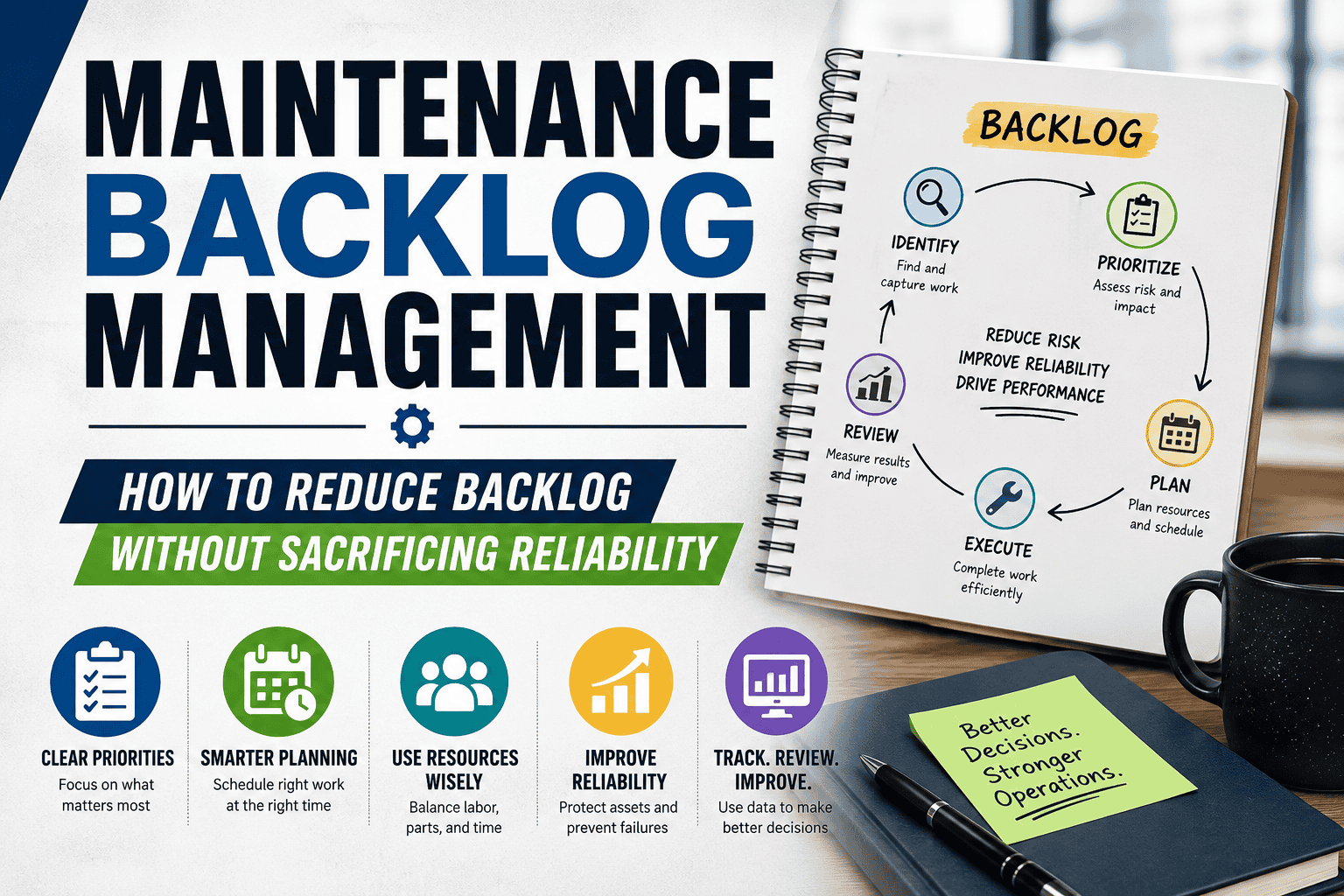
Maintenance Backlog Management: How to Reduce Backlog Without Sacrificing Reliability
Executive Summary
Maintenance backlog management helps teams review, prioritize, plan, and complete deferred maintenance work without letting critical assets, safety requirements, or preventive maintenance tasks fall behind.
A backlog is not automatically bad. In fact, some planned backlog gives maintenance teams future work to schedule. However, problems start when backlog grows faster than the team can review, prioritize, and complete it.
To reduce maintenance backlog safely, teams need more than a push to close old work orders. Instead, they need to separate critical work from low-value tasks, protect preventive maintenance, understand labor and parts constraints, and use reliable work order data. Ultimately, the goal is not simply to make the backlog number smaller. The goal is to reduce risk while improving maintenance control.
What Is Maintenance Backlog?
Maintenance backlog includes maintenance work that teams have identified but not yet completed. It may include corrective work, deferred repairs, inspections, preventive maintenance tasks, safety-related work, improvement work, and lower-priority requests.
Teams may measure backlog in open work orders, estimated labor hours, overdue tasks, or planned work waiting for resources. Ideally, a useful backlog is visible, reviewed, and prioritized. However, a risky backlog is unclear, unreviewed, or full of old work orders that no longer reflect current asset conditions.
When maintenance teams cannot tell which work matters most, the backlog becomes a source of operational risk instead of a planning tool.
Why Maintenance Backlog Grows
Maintenance backlog usually grows for practical reasons. Some are resource-related, while others come from weak planning or poor work order discipline.
Work requests arrive faster than the team can screen and prioritize them.
Preventive maintenance schedules exceed available labor capacity.
Parts, permits, tools, or vendor support are not ready when work is due.
Low-priority work stays open even after it stops adding value.
Reactive work interrupts planned work and pushes scheduled jobs into the future.
Work orders lack the detail needed to estimate, plan, or assign the job.
Teams lack clear rules for when to defer, combine, cancel, or escalate work.
Why Reducing Backlog Can Hurt Reliability
Backlog reduction can create reliability problems when teams focus only on closing work orders. For example, closing, canceling, or postponing work without a risk review can hide asset problems, weaken preventive maintenance, and make future failures harder to understand.
A safer approach reduces backlog by improving work quality and priority discipline. Therefore, teams should identify which tasks protect safety, compliance, production, uptime, facility function, and asset life.
Before removing lower-value work, someone should confirm that the risk is acceptable.
How to Reduce Maintenance Backlog Without Sacrificing Reliability
1. Clean Up the Backlog Before Adding More Work
Start by reviewing open work orders for duplicates, incomplete requests, outdated tasks, and work that technicians have already completed but never closed.
However, this cleanup should not become a mass deletion exercise. Instead, use a structured review to decide whether each item should remain open, be clarified, be combined with another job, be canceled, or be escalated.
2. Classify Work by Risk and Operational Impact
Not every open work order carries the same risk. A leaking roof over electrical equipment, a failed safety device, and a cosmetic repair should not compete as equal backlog items.
Instead, classify backlog by asset criticality, safety impact, production or service impact, compliance relevance, and likelihood of the issue getting worse.
| Backlog Category | Recommended Action |
|---|---|
| Safety or compliance risk | Review quickly, escalate when needed, and avoid deferral without documented approval. |
| Critical asset risk | Plan around labor, parts, and downtime windows; avoid letting the task disappear into general backlog. |
| PM-related work | Protect unless the PM is inaccurate, duplicated, or no longer relevant. |
| Low-risk improvement work | Schedule when capacity allows or move to a separate improvement list. |
| Outdated or duplicate work | Close or combine after review so the backlog remains accurate. |
3. Protect Preventive Maintenance Capacity
A common backlog mistake is using all available labor to chase old corrective work while preventive maintenance falls behind. Although that approach may create short-term progress, it can increase future maintenance demand if teams miss critical PMs.
For this reason, protect enough labor capacity for PMs that support safety, compliance, asset reliability, or essential facility operations.
If PM backlog is growing, review whether PM frequencies, procedures, and estimates are realistic. A PM program should be accurate enough to maintain reliability without creating unnecessary work that the team cannot sustain.
4. Plan Work Before Scheduling It
A backlog list is not the same thing as a ready schedule. Before assigning work, confirm scope, asset location, priority, labor skills, estimated hours, required parts, tools, permits, vendor needs, and downtime windows.
Planning prevents technicians from receiving work that they cannot complete because information or materials are missing. In addition, strong planning makes work order management more reliable.
5. Use Weekly Backlog Review Meetings
A short weekly backlog review can help supervisors, planners, and operations leaders keep backlog from becoming stale.
During the meeting, focus on decisions: what must be scheduled, what needs planning, what is waiting on parts, what should be escalated, and what the team can close or remove after review.
6. Track Backlog by Labor Hours, Not Just Work Order Count
Work order count can be misleading. Ten small tasks may represent less work than one major repair.
Therefore, tracking estimated labor hours gives planners a clearer view of workload, capacity, and scheduling pressure. Even rough estimates can help teams understand whether backlog is growing because of work volume, poor planning, or resource constraints.
7. Remove Low-Value Work With Clear Rules
Some backlog reduction should come from removing work that no longer needs to be done. However, this requires clear rules.
For example, the team may cancel a task if the asset was replaced, the issue cannot be verified, the request is duplicated, or the work no longer supports safety, compliance, reliability, or operations. Document the reason so the decision stays visible later.
Backlog Metrics to Watch
Backlog metrics should help teams make decisions, not just report activity. Start with a small set of measures that your team can maintain consistently.
| Metric | How It Helps |
|---|---|
| Open backlog hours | Shows the estimated labor demand waiting for completion. |
| Backlog age | Shows how long work has been waiting and helps identify stale items. |
| PM compliance | Shows whether the team completes scheduled preventive maintenance. |
| Emergency work trend | Shows whether reactive work is interrupting planned work. |
| Ready-to-schedule work | Shows which backlog items have the information, parts, and approvals needed for scheduling. |
How CMMS Software Supports Backlog Management
A CMMS can support backlog management by giving teams a structured place to create, prioritize, assign, schedule, document, and report on maintenance work.
MicroMain’s CMMS capabilities support work order management, preventive maintenance, asset management, parts and inventory management, workforce tracking, mobile maintenance, reporting, alerts, due dates, and maintenance history.
Those capabilities matter because backlog management depends on accurate work order status, clear priorities, asset context, parts availability, labor planning, and reporting. However, a CMMS should not be treated as a guaranteed backlog-reduction tool. It supports the workflow when the maintenance team uses it consistently and keeps the underlying data current.
Next step: Explore MicroMain CMMS software to compare its listed work order, preventive maintenance, inventory, mobile, and reporting capabilities with your backlog-management process.
Common Backlog Reduction Mistakes
1: Closing old work orders without checking whether the issue still exists.
2: Prioritizing work by age alone instead of risk, asset criticality, and operational impact.
3: Sacrificing important PM work to create short-term corrective backlog progress.
4: Scheduling work before parts, tools, downtime windows, or instructions are ready.
5: Using backlog count as the only measure of progress.
6: Letting low-value or duplicate work stay open indefinitely.
Frequently Asked Questions
What is maintenance backlog management?
Maintenance backlog management is the process of reviewing, prioritizing, planning, scheduling, and completing maintenance work that teams have identified but not yet finished.
Is maintenance backlog always bad?
No. Some planned backlog can help teams schedule future work. However, backlog becomes risky when it is unreviewed, unclear, outdated, or larger than the team can realistically manage.
How do you reduce maintenance backlog?
Teams can reduce backlog by cleaning up outdated work orders, prioritizing by risk, protecting critical PMs, planning work before scheduling, reviewing backlog weekly, and tracking backlog by labor hours as well as work order count.
Should preventive maintenance be delayed to reduce corrective backlog?
Teams should not delay critical preventive maintenance without a risk review. Skipping important PMs can create future reliability problems even if the backlog number temporarily improves.
What is a good maintenance backlog metric?
Useful backlog metrics include open backlog hours, backlog age, PM compliance, emergency work trend, and ready-to-schedule work. The best metric depends on the team’s workflow and data quality.
Can CMMS software help manage backlog?
A CMMS can support backlog management by organizing work orders, priorities, schedules, assets, parts, labor, and reports. However, results depend on workflow discipline, data quality, and consistent system use.