AI Features in CMMS Software: What Maintenance Teams Actually Need and What Is Just Hype
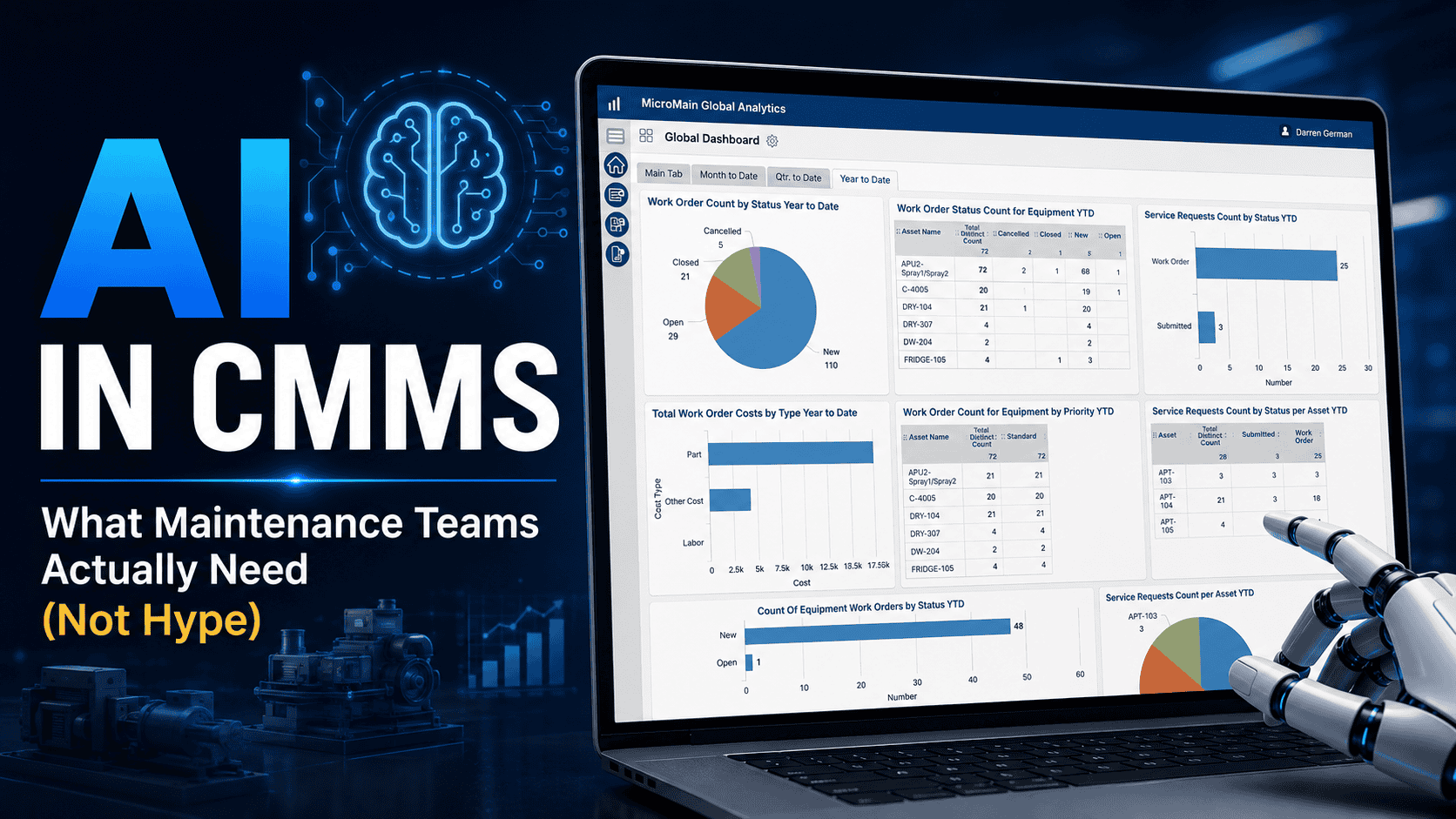
AI CMMS features are getting a lot of attention in maintenance management. Vendors now promote smart work orders, predictive alerts, automated summaries, natural language search, inventory forecasting, technician assistants, and AI-powered maintenance analytics.
For maintenance leaders, the interest makes sense. Teams need to reduce downtime, improve reliability, manage growing workloads, and make better decisions with limited labor and budget. As a result, AI can look attractive when it promises faster access to information, better pattern recognition, and improved planning.
However, AI in CMMS software also creates a real problem: hype. Not every AI feature helps every maintenance team. In many cases, AI only works well when teams already have clean asset data, consistent work order history, accurate failure codes, reliable PM schedules, and strong CMMS adoption.
This guide explains what AI in CMMS software actually means, which AI CMMS features maintenance teams should evaluate, what may be overhyped, and how organizations can prepare their maintenance data before investing in AI-driven maintenance tools.
Quick answer
AI CMMS refers to CMMS software that uses artificial intelligence, machine learning, natural language processing, predictive algorithms, or automation to help maintenance teams search records, summarize work orders, analyze trends, route tasks, forecast parts, and support decisions. However, AI works best when the CMMS already contains clean asset data, useful work order history, consistent PM records, and reliable inventory information.
What Does AI in CMMS Software Actually Mean?
A Computerized Maintenance Management System, or CMMS, helps teams manage maintenance operations. Traditional CMMS platforms support work order management, preventive maintenance scheduling, asset records, parts and inventory tracking, reporting, and maintenance records.
AI in CMMS software refers to features that use artificial intelligence, machine learning, natural language processing, predictive algorithms, or automation to help users analyze maintenance data, reduce manual work, or support decision-making.
Depending on the vendor, AI CMMS capabilities may include predictive maintenance alerts, natural language search, work order summaries, smart work order routing, maintenance trend analysis, inventory forecasting, recommended PM tasks, technician knowledge assistance, and automated data cleanup suggestions.
Important: AI does not replace maintenance management. Instead, it can support maintenance teams when the underlying data, workflows, and user adoption are strong enough.
Why Maintenance Teams Are Asking for AI CMMS Features
Maintenance teams are not asking for AI because they want flashy software. Instead, they want tools that solve practical maintenance problems.
Technicians need faster access to asset history, repair notes, manuals, and previous work orders. Supervisors need better visibility into open work, overdue PMs, and team workload. Meanwhile, managers need clearer reporting on downtime, backlog, labor, parts, and asset performance.
The best AI features in CMMS software should help answer practical questions such as:
- What work needs attention first?
- Which assets keep showing repeated problems?
- Which PMs are overdue or ineffective?
- What did we do the last time this asset failed?
- Are parts shortages delaying repairs?
- Which work orders are missing important information?
- What maintenance trends should managers review?
If an AI feature does not help answer practical maintenance questions, it may be more hype than value.
7 AI CMMS Features That Could Actually Help Maintenance Teams
AI can support maintenance teams when the feature solves a real problem and uses reliable maintenance data. The table below summarizes the most useful AI CMMS capabilities and what teams should watch before relying on them.
| AI CMMS feature | How it helps | What to watch for |
|---|---|---|
| Natural language search | Helps users find asset history, work orders, parts, and trends using plain-language questions. | Search results depend on accurate asset names, complete work orders, and consistent notes. |
| AI work order summaries | Condenses long notes or work order history into a shorter overview. | Summaries should link back to the original source records for review. |
| Smart work order routing | Suggests assignments based on asset type, priority, technician skill, location, or work history. | Supervisors still need to account for real-world constraints and safety conditions. |
| PM recommendations | Flags PM tasks, frequencies, or assets that may need review. | Managers should review recommendations before changing PM schedules. |
| Predictive maintenance alerts | Uses sensor data, condition readings, or history to flag possible issues before failure. | Predictive alerts need reliable condition data and a team that can respond quickly. |
| Inventory forecasting | Uses parts usage, work order demand, and lead times to support spare parts planning. | Forecasts become unreliable when technicians do not record parts usage. |
| Technician copilot | Helps technicians find maintenance records, checklists, manuals, and troubleshooting information. | The assistant should use trusted company records and never replace safety procedures. |
1. Natural Language Search for Maintenance Records
Natural language search lets users ask questions in plain language instead of manually filtering reports or searching work order records. For example, a maintenance manager might ask, “Show me all pump failures from the last six months” or “Which HVAC units have the most overdue PMs?”
This AI CMMS feature can help teams access maintenance records more quickly, especially when the system contains years of asset history and work order data. However, it only works well when the underlying data is accurate.
2. AI Work Order Summaries
AI-generated work order summaries can condense long technician notes, asset history, or related work orders into a shorter overview. Instead of reading 20 past work orders, a supervisor may review a summary of recurring issues, common repairs, parts used, and unresolved problems.
Even so, summaries should not replace original records. Maintenance teams should still review source work orders, technician notes, inspection results, photos, and attachments when needed.
3. Smart Work Order Routing
Smart routing refers to AI-assisted work order assignment based on asset type, priority, technician skill, location, availability, or work history. For example, a system may suggest a technician for a recurring electrical issue because that person completed similar work before.
This can improve workflow efficiency. However, smart routing should support supervisor judgment, not replace it. The system may not understand shift coverage, emergency priorities, safety conditions, or workload changes.
4. AI-Assisted Preventive Maintenance Recommendations
Some AI features analyze work order history, asset failures, inspection results, or usage patterns to suggest changes to preventive maintenance tasks or frequencies. For instance, if an asset continues to fail despite frequent PMs, AI may flag the asset for review.
PM schedules should not stay static. However, AI should not automatically change preventive maintenance schedules without human review. Managers still need to consider asset priority, safety requirements, manufacturer guidance, compliance needs, and operational risk.
5. Predictive Maintenance Alerts
Predictive maintenance uses condition data, sensor data, inspection readings, or historical patterns to identify signs that equipment may need attention before failure occurs. In a CMMS, predictive alerts may connect to work order creation, inspections, or asset records.
Predictive maintenance can help critical assets when downtime is expensive or failure risk is high. Still, it is not magic. It often depends on reliable condition monitoring data, sensor inputs, enough asset history, and a maintenance team that can respond to alerts.
6. Inventory and Parts Forecasting
AI-assisted inventory forecasting may analyze parts usage history, work order demand, reorder patterns, asset needs, and lead times to help teams plan spare parts more effectively.
This matters because parts shortages can delay repairs and increase downtime. On the other hand, overstocking can tie up budget and storage space. Better forecasting may help teams balance availability and cost, but only when inventory data is accurate.
7. Technician Copilot or Knowledge Assistant
A technician copilot is an AI assistant that helps users find maintenance information quickly. It may retrieve prior work orders, asset notes, standard operating procedures, checklists, manuals, or troubleshooting steps.
This can reduce time spent searching for information in the field. However, a technician assistant should be grounded in trusted company records. It should not invent repair instructions or replace safety procedures, manufacturer documentation, or supervisor review.
AI Features That Sound Good But May Not Help Without Good Data
AI features can sound impressive during a demo. However, maintenance teams should ask whether the system can perform with their real data.
AI may struggle when asset records are incomplete, work orders lack useful closeout notes, technicians do not record parts usage, failure codes are missing, PM schedules are outdated, inventory counts are inaccurate, users do not trust the CMMS, or data lives across paper, spreadsheets, emails, and disconnected systems.
In these cases, AI may not solve the real problem. Instead, the organization may need better CMMS implementation, workflow design, data cleanup, and user adoption first.
What Data Does AI Need From a CMMS?
AI features are only as useful as the data they can analyze. Therefore, before investing in AI-driven CMMS capabilities, maintenance teams should review the quality of their core maintenance records.
| Data type | Useful records | Why it matters for AI |
|---|---|---|
| Asset data | Asset name, location, type, manufacturer, model, serial number, priority, installation date, and related components. | Helps AI connect work history, failures, parts, and PMs to the correct equipment. |
| Work order history | Problem description, work performed, labor time, parts used, technician notes, failure cause, completion date, and follow-up work. | Often forms the foundation for AI-assisted maintenance insights. |
| Preventive maintenance records | PM frequency, completion status, inspection results, checklist responses, overdue PMs, and corrective work created from PM findings. | Shows whether planned maintenance is completed consistently and whether PMs find issues. |
| Inventory data | Part number, description, quantity on hand, reorder point, supplier, lead time, and parts used by asset. | Helps AI evaluate parts demand, usage patterns, and reorder needs. |
| Failure and downtime data | Failure mode, downtime duration, root cause notes, asset affected, corrective action, and repeat failures. | Supports reliability analysis, trend detection, and predictive alerts. |
AI CMMS vs. Traditional CMMS: What Changes?
A traditional CMMS helps maintenance teams organize and manage maintenance work. It gives teams one place for work orders, assets, PM schedules, inventory, and reporting.
An AI-enabled CMMS may add capabilities that help users analyze information, search records, summarize data, recommend actions, or identify trends. The difference is not that AI replaces the CMMS. Instead, AI may help users interact with CMMS data more efficiently.
| Capability | Traditional CMMS | AI-enabled CMMS |
|---|---|---|
| Work order management | Creates, assigns, tracks, and closes work orders. | May add smart routing, summaries, or missing-information checks. |
| Preventive maintenance | Schedules recurring PMs and stores task instructions. | May suggest PM review based on failure patterns or work order history. |
| Asset records | Stores asset details, location, history, and documents. | May summarize asset history or identify trends across records. |
| Inventory tracking | Tracks stock levels, part numbers, and usage. | May forecast demand or recommend reorder review. |
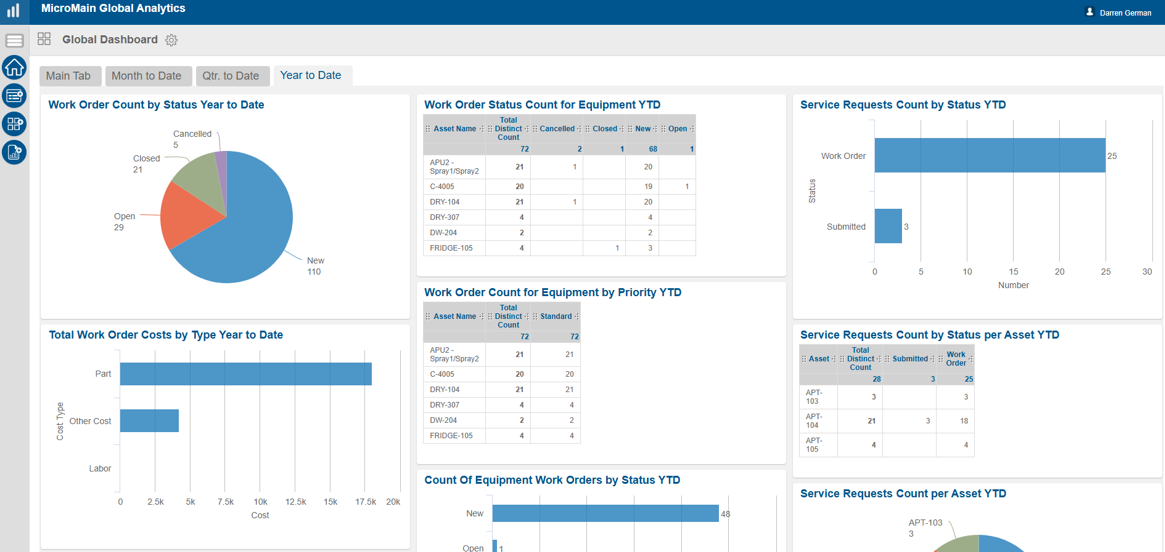
| Reporting | Uses dashboards, filters, and standard reports. | May support natural language queries or trend summaries. |
| Predictive alerts | Not always included. | Possible when supported by data, condition monitoring, or integrations. |
How to Evaluate AI CMMS Features Before Buying
Maintenance leaders should evaluate AI CMMS features carefully before investing. A polished demo may not show how the system performs with messy maintenance records, incomplete work order history, or inconsistent parts data.
AI CMMS Evaluation Checklist
- Ask vendors to demonstrate AI features with realistic data.
- Confirm exactly what the AI does and what it does not do.
- Ask what data each AI feature requires.
- Check whether AI recommendations are explainable.
- Keep humans in the decision loop for safety, compliance, and asset risk.
- Start with one practical use case instead of chasing every AI feature.
- Measure whether the feature improves a real maintenance workflow.
Questions to Ask AI CMMS Vendors
- Does the AI summarize work orders?
- Does it predict failures or only flag trends?
- Does it recommend PM changes?
- Does it route work orders?
- Does it forecast parts?
- Does it answer natural language questions?
- Does it require sensor integrations?
- Can users review the supporting data behind recommendations?
What Is Just AI CMMS Hype?
AI becomes hype when vendors or teams make claims that are too broad, too automatic, or too disconnected from maintenance reality. A more realistic view is that AI may help maintenance teams use their data more effectively, but only when the CMMS foundation is strong.
Be careful with claims like:
- “AI will eliminate downtime.”
- “AI will replace technicians.”
- “AI will automatically fix your maintenance program.”
- “AI guarantees cost savings.”
- “AI works without clean data.”
- “AI replaces preventive maintenance.”
- “AI can make decisions without human review.”
How MicroMain Fits Into AI-Ready Maintenance
MicroMain should be positioned around maintenance fundamentals, not unsupported AI promises. Before AI can provide useful insights, maintenance teams need accurate asset records, consistent work orders, preventive maintenance schedules, inventory visibility, maintenance history, reporting discipline, and user adoption.
MicroMain supports these core CMMS functions through workflows such as work order management, preventive maintenance scheduling, asset management, inventory tracking, and reporting. That foundation matters because AI depends on maintenance data.
For maintenance teams exploring AI, the first step is not always buying the most advanced tool. Instead, the first step may be improving the data, workflows, and CMMS usage that make advanced tools more useful later.
For additional maintenance and reliability context, teams can review resources from the U.S. Department of Energy’s Operations and Maintenance Best Practices Guide and NIST’s artificial intelligence resources.
Build the CMMS foundation AI needs
Explore MicroMain CMMS software to manage work orders, preventive maintenance, assets, inventory, reporting, and maintenance history before investing in advanced AI-enabled maintenance workflows.
Final Takeaway
AI features in CMMS software can be useful, but maintenance teams should separate practical value from hype. The most valuable AI CMMS features help real maintenance users do their jobs better.
That may include faster record search, clearer work order summaries, smarter routing suggestions, preventive maintenance review, predictive alerts, inventory forecasting, or technician knowledge support. However, AI is not a shortcut around maintenance fundamentals.
Clean asset data, accurate work order history, reliable PM schedules, inventory discipline, and strong CMMS adoption are still essential. Without those basics, AI may simply analyze poor data faster.
Maintenance leaders should evaluate AI features with one practical question: Will this help our team make better maintenance decisions with the data we actually have?
Frequently Asked Questions
What are AI features in CMMS software?
AI features in CMMS software use artificial intelligence, machine learning, natural language processing, predictive algorithms, or automation to help maintenance teams analyze data, search records, summarize work, route tasks, or support decisions.
Is AI CMMS the same as predictive maintenance?
No. AI CMMS refers to maintenance software with AI-assisted features. Predictive maintenance is a maintenance strategy that uses condition data, equipment history, or sensor information to identify potential failures before they happen.
What AI features are most useful in CMMS software?
Useful AI CMMS features may include natural language search, work order summaries, smart work order routing, PM recommendations, predictive alerts, inventory forecasting, and technician knowledge assistance.
Does AI replace technicians?
No. AI should support technicians by helping them find information, review history, or complete administrative tasks more efficiently. It should not replace skilled maintenance judgment, safety procedures, or hands-on repair work.
Does AI in CMMS software require clean data?
Yes. AI features depend heavily on accurate asset records, complete work orders, reliable PM schedules, parts usage, and consistent maintenance history.
Can AI help reduce downtime?
AI may support downtime reduction by helping teams identify trends, predict issues, or respond faster. However, it does not guarantee downtime reduction. Results depend on data quality, workflow execution, asset condition, and team adoption.
What is overhyped about AI in maintenance software?
Overhyped claims include promises that AI will eliminate downtime, replace technicians, automatically fix poor maintenance processes, or work effectively without clean data.
Should small maintenance teams use AI CMMS?
Small teams may benefit from AI CMMS features if those features solve real problems, such as searching records faster or summarizing work orders. However, many small teams should first focus on consistent work orders, PM schedules, asset records, and reporting.
How should maintenance teams evaluate AI CMMS features?
Teams should ask what the AI actually does, what data it requires, whether recommendations are explainable, how it works with real maintenance data, and whether it supports a practical use case.
How does MicroMain fit into AI-ready maintenance?
MicroMain supports core CMMS functions such as work order management, preventive maintenance scheduling, asset management, inventory tracking, and reporting. These fundamentals can help teams build the data foundation needed for future AI-enabled maintenance workflows.