CMMS Demo Questions: 20 Things to Ask Before Choosing Maintenance Software
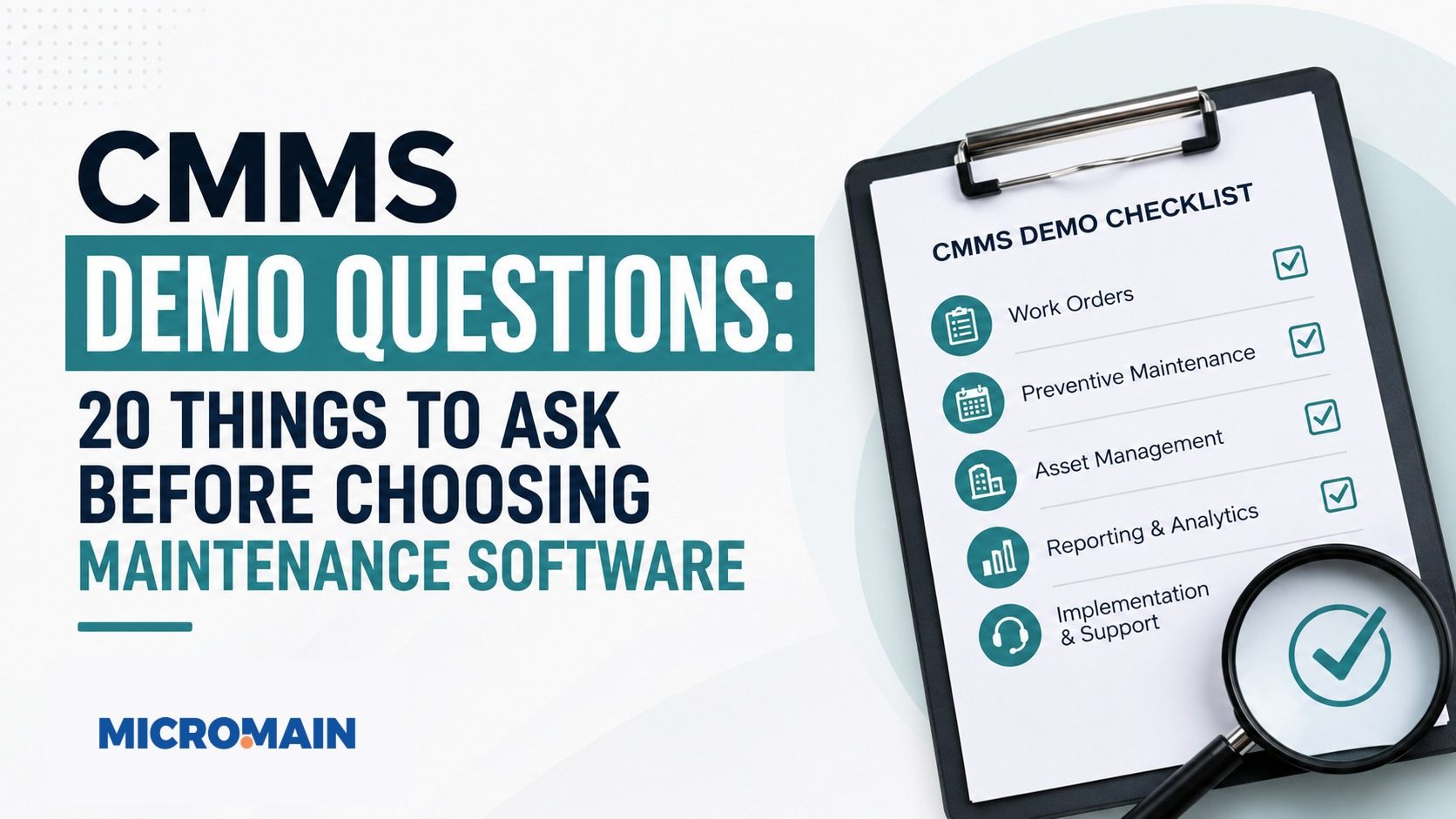
CMMS demo questions help maintenance teams look beyond a polished product tour and evaluate how software will work in the real world. Choosing CMMS software is a big decision, so the demo should show more than attractive dashboards.
A Computerized Maintenance Management System can help organizations manage work orders, preventive maintenance, assets, inventory, reporting, and maintenance records. However, a clean software demo does not always prove that technicians, supervisors, planners, and managers will use the system successfully after launch.
That is why asking the right questions matters. A strong demo should help you understand whether the CMMS fits your maintenance workflow, supports daily technician work, handles your data needs, and can grow with your organization.
This guide covers 20 practical CMMS demo questions to ask before choosing maintenance software, plus a scorecard, red flags, and evaluation tips your team can use during vendor comparisons.

Quick answer
The best CMMS demo questions focus on how the software handles real maintenance work. Ask vendors to show work order requests, technician mobile workflows, preventive maintenance scheduling, PM compliance, asset history, backlog, inventory, reporting, KPIs, implementation, training, support, integrations, pricing, adoption, and success milestones after launch.
Why CMMS Demo Questions Matter
A CMMS demo is one of the most important steps in the software evaluation process. First, it gives buyers a chance to see how the system handles common maintenance workflows before committing budget, time, and internal resources.
However, many demos are vendor-led. That means the presenter may focus on the strongest features, cleanest dashboards, or ideal use cases. Your job as a buyer is to bring the conversation back to your actual maintenance environment.
Moreover, the right questions help you uncover whether the software fits your work order process, how PMs are scheduled, whether mobile access is practical, how asset history is organized, and what implementation support is included.
Practical note: A good demo should clarify your buying decision, not confuse it. If a vendor cannot show your real workflows clearly, ask for a deeper demo before moving forward.
Before the Demo: Know What Your Team Needs
Before you meet with any CMMS vendor, define your maintenance priorities. Otherwise, the demo may turn into a feature tour instead of a practical evaluation.
Internal Questions to Answer First
- What maintenance problems are we trying to solve?
- What work order process do we use today?
- Where do requests get lost or delayed?
- Which assets are most critical?
- How do we schedule preventive maintenance?
- What reporting do managers need?
- What frustrates technicians about current tools?
- What data do we need to migrate?
- What integrations matter?
- What does success look like after implementation?
As a result, this preparation helps you avoid buying software based only on features. Instead, you can confidently evaluate whether the system supports the workflows, people, and outcomes that matter most.
20 CMMS Demo Questions to Ask Before Choosing Maintenance Software
Use these questions to move the demo from a general product overview to a real maintenance workflow test.
1. How does the system handle work order requests?
First, work orders form the foundation of most CMMS workflows. Ask the vendor to show exactly how a work request is submitted, reviewed, prioritized, assigned, completed, and closed.
- Can users create work requests quickly?
- Can supervisors assign priority and technicians?
- Can work orders link to assets, labor, parts, notes, and attachments?
- Can technicians close the work order with useful records?
2. Can technicians use it easily in the field?
A CMMS may look strong on a desktop dashboard but still fail in the field. Therefore, ask the vendor to demonstrate the technician experience from a phone or tablet.
Look for simple access to assigned work, status updates, labor entry, parts usage, photos, asset history, PM checklists, and offline or limited-connectivity workflows when needed.
3. How does preventive maintenance scheduling work?
Next, preventive maintenance becomes one of the most important CMMS functions. Ask the vendor to show how recurring PMs are created, scheduled, assigned, completed, and reported.
Additionally, ask how the system handles skipped, overdue, deferred, or rescheduled PMs.
4. How does the system track preventive maintenance compliance?
Scheduling PMs is not enough. Maintenance managers also need to know whether teams complete PMs on time.
Useful PM compliance reporting should show completed PMs, overdue PMs, missed PMs by asset, completion by location, technician or team performance, critical PMs missed, and corrective work created from PM findings.
5. How are asset records organized?
In addition, asset data supports maintenance history, reporting, PM scheduling, and lifecycle decisions. Ask the vendor to show how asset records are structured.
Useful asset records may include asset name, asset ID, location, manufacturer, model, serial number, criticality, related parts, maintenance history, documents, warranty information, and parent-child hierarchy.
6. Can we see complete maintenance history for an asset?
Likewise, maintenance history helps technicians troubleshoot problems while helping managers identify repeat failures. Ask what a technician or manager sees when reviewing an asset’s history.
Ideally, the history should show past work orders, PM records, repairs, parts used, labor time, downtime notes, failure patterns, inspection findings, and attachments.
7. How does the CMMS manage maintenance backlog?
Backlog management helps teams prioritize approved work that has not yet been completed. Ask how open work is filtered, sorted, prioritized, and scheduled.
Likewise, the system should make it easy to view backlog by priority, age, location, asset criticality, work type, technician, department, and estimated labor hours.
8. How does inventory and parts tracking work?
Maintenance work often depends on having the right parts available. Ask the vendor to demonstrate how parts are stored, searched, issued, reordered, and linked to work orders.
If inventory is a major pain point, ask for a detailed inventory workflow demo, including parts catalogs, stock levels, reorder points, vendor information, storeroom locations, and purchasing workflows.
9. Can the system support multiple sites or locations?
Organizations with multiple facilities, campuses, plants, or departments need location-based visibility. Therefore, ask how the CMMS handles multi-site maintenance.
In addition, look for site filters, location-specific assets, facility-based permissions, cross-site reporting, and standardized PMs across locations.
10. What reports and dashboards are included?
Furthermore, reporting is one of the main reasons organizations invest in CMMS software. Ask the vendor to show standard reports and dashboards, not just custom examples.
For example, useful reports may include open work orders, overdue work, PM compliance, work order completion rate, backlog, labor hours, parts usage, downtime, maintenance cost by asset, MTTR, MTBF, and reactive versus planned work.
11. Can we track maintenance KPIs?
Maintenance KPIs help teams measure performance and make better decisions. Ask whether the CMMS can track the KPIs your team already uses or plans to use.
Important KPIs may include PM compliance, schedule compliance, MTTR, MTBF, downtime, backlog, work order aging, reactive maintenance percentage, planned maintenance percentage, and inventory stockouts.
12. How does the system handle user roles and permissions?
Not every user needs the same level of access. Ask how permissions are configured for technicians, requesters, supervisors, managers, administrators, and executives.
A good permissions structure protects data quality while keeping the system easy to use.
13. What data can be migrated into the CMMS?
Data migration can make or break implementation. Ask which data types can be imported and what preparation is required.
Typically, common migration data includes asset records, locations, PM schedules, parts, inventory, vendor records, users, open work orders, historical work orders, manuals, and documents.
14. What implementation support is included?
A CMMS is not successful just because the software is activated. Implementation support matters, so ask the vendor to explain the full process from kickoff to go-live.
Implementation may include project planning, workflow review, configuration, data migration, user setup, PM setup, training, testing, go-live support, and post-launch review.
15. What training is available for different user roles?
Equally important, training should match how different users actually work. Ask whether training is role-based for technicians, supervisors, managers, requesters, and administrators.
Avoid relying on one generic training session for every user. Instead, ask for training that covers real workflows such as completing work orders, closing PMs, recording labor and parts, reviewing backlog, and running reports.
16. What support is available after go-live?
Even after implementation, post-launch support remains critical because questions often appear after teams start using the system daily. Ask about support channels, response expectations, and whether support is included or billed separately.
For instance, support may include help center resources, email, phone, chat, customer success meetings, training refreshers, implementation follow-up, technical support, and account management.
17. What integrations are available?
Some organizations need their CMMS to connect with other systems. Ask about integrations early, especially if your maintenance workflow depends on ERP, accounting, purchasing, building automation, reporting, or condition monitoring tools.
Also, ask whether integrations are native, API-based, custom, or handled by third parties.
18. How is pricing structured?
Finally, pricing should be clear before purchase. Ask how the vendor charges and what is included.
Pricing may depend on users, sites, modules, implementation services, data migration, training, support level, storage, integrations, and mobile access. Additionally, ask about renewal terms, future price changes, and whether features shown in the demo are included in the quoted package.
19. How does the system support adoption?
A CMMS only works if the team uses it consistently. Ask how the vendor helps organizations improve adoption after launch.
Adoption support may include role-based training, simple technician workflows, mobile usability, change management guidance, usage reporting, supervisor tools, post-launch support, and workflow refinement.
20. What does success look like after 90 days, 6 months, and 1 year?
A CMMS purchase should have clear success milestones. Ask the vendor what realistic outcomes your team should measure after implementation.
Ultimately, possible success metrics include consistent user logins, correctly closed work orders, on-time PM completion, updated asset records, manager report usage, visible backlog, improved inventory records, and active KPI tracking.
CMMS Demo Scorecard
Use a simple scorecard to compare vendors after each demo. As a result, your team can reduce confusion after multiple product demonstrations.
| Evaluation area | Score 1-5 | Notes |
|---|---|---|
| Work order workflow | ||
| Technician usability | ||
| Preventive maintenance scheduling | ||
| Asset management | ||
| Mobile experience | ||
| Inventory management | ||
| Reporting and dashboards | ||
| Implementation and training | ||
| Pricing clarity | ||
| Overall fit |
Red Flags During a CMMS Demo
Watch for warning signs during the evaluation process. These issues may signal problems after purchase.
| Red flag | Why it matters |
|---|---|
| The demo avoids real workflows | Dashboards alone do not prove the system can handle work orders, PMs, and technician tasks. |
| Mobile use looks complicated | Technician adoption may suffer if field workflows are difficult. |
| Reporting requires too much manual work | Reports may become difficult to use after launch. |
| Pricing is unclear | You need to know what is included before signing. |
| Implementation is treated as an afterthought | Good software still needs good onboarding, data setup, and training. |
How MicroMain Fits Into the CMMS Evaluation Process
MicroMain supports maintenance teams through CMMS capabilities such as work order management, preventive maintenance scheduling, asset management, inventory tracking, reporting, and maintenance records.
For buyers evaluating CMMS software, the goal should be to choose a system that supports real maintenance workflows and gives teams better visibility into daily work, preventive maintenance, asset history, and performance trends.
A CMMS demo should help you confirm whether the system fits your team, assets, data, and long-term maintenance goals.
For additional software evaluation and implementation context, teams can review CISA software acquisition guidance and NIST software quality assurance resources.
Ready to evaluate CMMS software?
Explore MicroMain CMMS software to review work orders, preventive maintenance, assets, inventory, reporting, and maintenance workflows with your team.
Final Takeaway
Ultimately, a CMMS demo is not just a product tour. Instead, it is a buying test.
The best CMMS demo questions help you understand whether the software can support your actual maintenance work after the contract is signed. Therefore, ask vendors to show real workflows instead of only polished dashboards.
Above all, focus on work orders, preventive maintenance, asset history, mobile usability, reporting, implementation, training, support, pricing, and adoption. Ultimately, the right CMMS should help your maintenance team manage work more consistently, document maintenance activity, improve visibility, and make better decisions over time.
Frequently Asked Questions
What should I ask during a CMMS demo?
Ask about work orders, preventive maintenance scheduling, asset records, mobile access, reporting, inventory, data migration, implementation, training, support, integrations, pricing, and adoption.
Why are CMMS demo questions important?
CMMS demo questions help buyers evaluate whether the software fits their real maintenance workflows instead of relying only on a vendor-led product presentation.
Who should attend a CMMS demo?
Maintenance managers, technicians, planners, supervisors, operations leaders, IT stakeholders, and finance representatives may all provide useful input during the evaluation process.
How do I prepare for a CMMS demo?
Document your current maintenance challenges, workflow requirements, asset data needs, reporting goals, integration requirements, and success metrics before the demo.
What is the most important CMMS feature to evaluate?
Work order management is often one of the most important features because it affects daily maintenance execution, technician adoption, asset history, and reporting.
Should technicians be involved in CMMS demos?
Yes. Technicians should be involved because they will use the system daily. Their feedback can reveal whether the workflow is practical in the field.
What should I look for in CMMS reporting?
Look for reports on open work orders, overdue PMs, PM compliance, backlog, labor hours, asset downtime, parts usage, and maintenance KPIs.
What are CMMS demo red flags?
Red flags include unclear pricing, weak mobile usability, limited implementation support, poor reporting, complicated work order workflows, and demos that avoid real maintenance scenarios.
How many CMMS demos should we schedule?
The number depends on your evaluation process, but comparing multiple vendors can help your team understand differences in workflow, pricing, implementation, and support.
How does MicroMain support CMMS buyers?
MicroMain supports maintenance teams with CMMS capabilities for work orders, preventive maintenance, asset management, inventory tracking, reporting, and maintenance records.