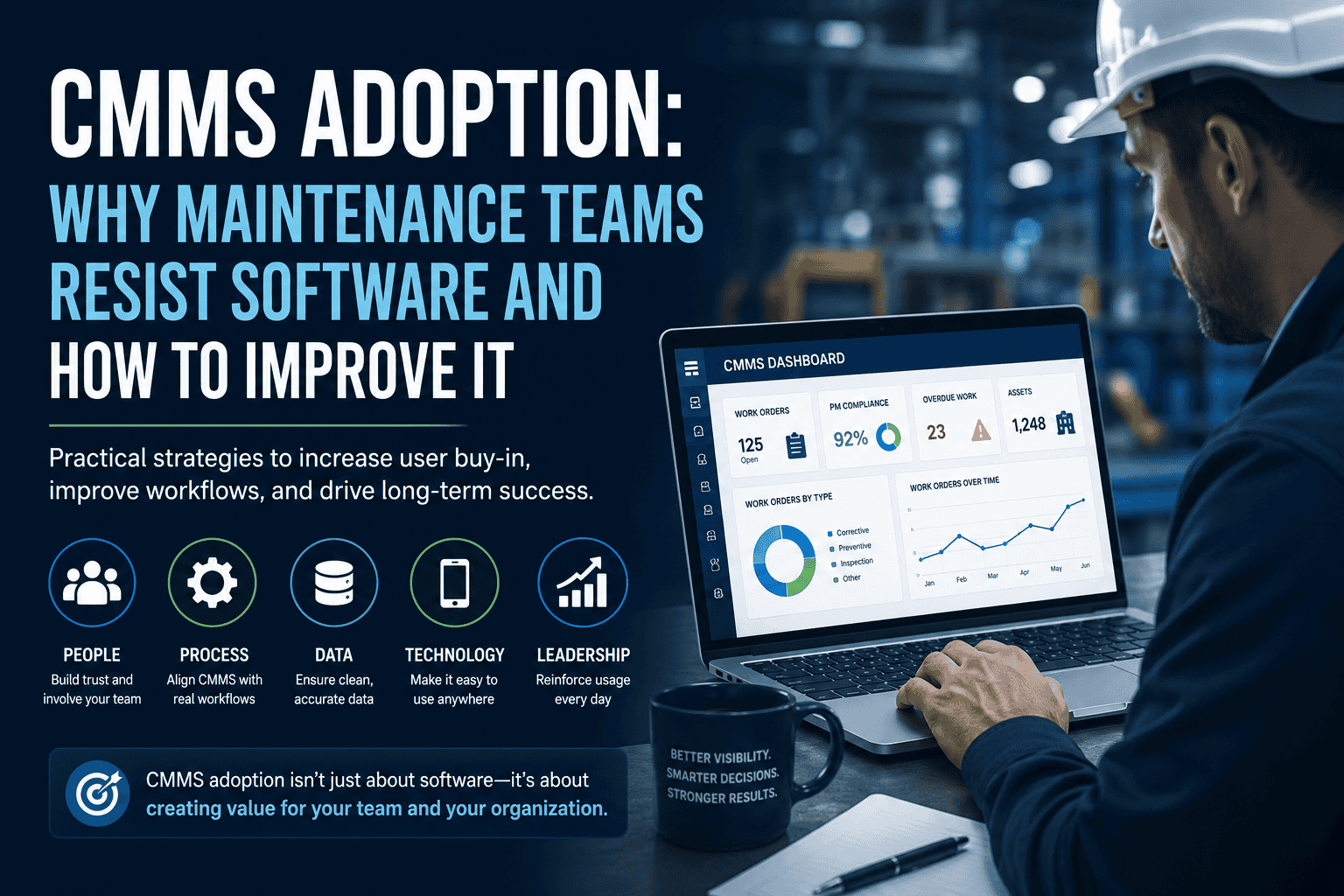
CMMS Adoption: Why Maintenance Teams Resist Software and How to Improve It
Executive Summary
CMMS adoption determines whether maintenance software becomes a trusted daily tool or just another system people work around. A CMMS can help maintenance teams manage work orders, preventive maintenance, assets, inventory, reporting, and maintenance history. However, even a capable system can struggle if technicians, supervisors, planners, and managers do not use it consistently.
Maintenance teams usually resist CMMS software for practical reasons. For example, they may see it as extra data entry, a tool built for managers instead of technicians, or a system that does not match how maintenance work actually gets done in the field.
Key takeaway: Improving CMMS adoption requires more than a software rollout or a one-time training session. It requires trust, workflow fit, clean data, leadership follow-through, supervisor coaching, and a clear explanation of how the system helps the people doing the work.
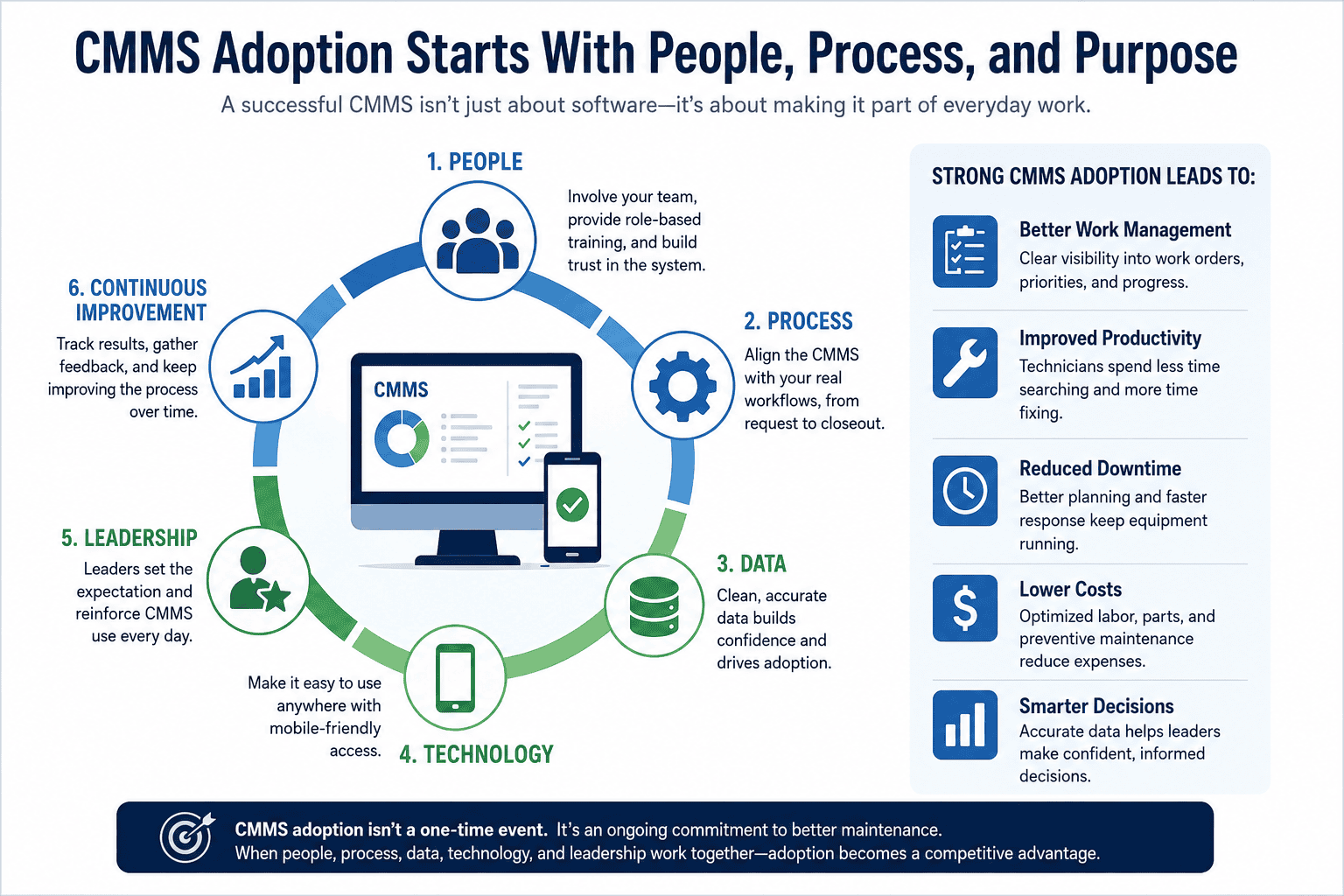
What Is CMMS Adoption?
CMMS adoption is the consistent use of computerized maintenance management system software across daily maintenance workflows. Strong adoption means the CMMS is not just installed. Instead, it becomes the trusted place where work is requested, prioritized, assigned, updated, completed, reviewed, and analyzed.
A team with strong CMMS adoption uses the system for work orders, preventive maintenance, asset history, parts usage, labor records, backlog management, mobile updates, and reporting. Meanwhile, a team with weak adoption may technically have a CMMS but still rely on paper notes, text messages, spreadsheets, hallway requests, and verbal updates to manage important work.
The goal is not to force technicians to enter data for its own sake. Rather, the goal is to make maintenance work easier to plan, easier to complete, easier to document, and easier to improve over time.
Why Maintenance Teams Resist CMMS Software
CMMS resistance usually comes from friction in the daily workflow. Therefore, maintenance leaders should look for practical causes before assuming users simply do not want to change.
If the CMMS feels like paperwork added on top of the job, adoption will be weak.
Resistance grows when the system does not reflect how requests, priorities, parts, and closeouts actually happen.
Duplicate assets, missing locations, outdated PMs, and vague work orders make the system harder to trust.
Technicians need to see how the CMMS helps with asset history, parts, job instructions, and repair details.
One-size-fits-all training rarely helps users learn how to do their actual jobs in the system.
If supervisors still accept work outside the CMMS, the system quickly becomes optional.
The System Feels Like Extra Work
Technicians are often measured by completed work, uptime, response time, and keeping operations moving. If the CMMS feels like paperwork added on top of the job, adoption will be weak. This often happens when work orders require too many fields, mobile access is inconvenient, or technicians have to enter the same information in multiple places.
The Workflow Does Not Match Reality
A CMMS should support the maintenance process, not force an unrealistic version of it. Resistance grows when the software workflow does not match how requests are received, how priorities are set, how parts are found, or how technicians close work. For example, if emergency work is common but the system only reflects planned work, technicians may stop trusting the CMMS as the real source of truth.
Data Quality Is Poor
Bad data creates immediate frustration. Duplicate assets, missing locations, outdated PMs, unclear parts lists, and vague work order descriptions make the system harder to use. If technicians open a work order and the asset information is wrong, they may assume the CMMS is unreliable.
Technicians Do Not See the Benefit
Many CMMS implementations focus on management benefits such as better reporting, cleaner dashboards, improved visibility, and stronger documentation. Those benefits matter, but technicians also need to know what is in it for them. A CMMS is easier to adopt when technicians can quickly see asset history, job instructions, parts availability, priority, safety notes, and previous repair details.
Training Is Too Generic
A single training session rarely creates strong adoption. Different users need different training. Technicians need to know how to receive, update, and close work. Supervisors need to review and assign work. Planners need to manage PMs and backlog. Managers need reports and performance visibility. Therefore, training should match real tasks, not just walk through every feature.
Leadership Does Not Reinforce the Process
If supervisors still accept verbal updates, paper notes, text messages, and hallway requests as the real workflow, the CMMS becomes optional. Adoption improves when leaders consistently use the system for assigning, reviewing, and closing work. The rule should be simple: if maintenance work matters, it belongs in the CMMS.
Common Types of CMMS Resistance
Not all resistance comes from the same source. Understanding the type of resistance helps maintenance leaders choose the right response instead of assuming users simply do not want to use the system.
| Resistance Type | Typical Cause | Recommended Response |
|---|---|---|
| Data-entry resistance | Work orders take too long to complete or require unnecessary fields. | Simplify required fields and remove duplicate data entry. |
| Workflow resistance | The CMMS process does not match actual maintenance work. | Reconfigure workflows around real-world request, assignment, and closeout steps. |
| Trust resistance | Asset records, PMs, locations, or inventory data are inaccurate. | Clean data before rollout and create data ownership rules. |
| Leadership resistance | Supervisors and managers accept work outside the system. | Standardize expectations and reinforce CMMS use consistently. |
| Technology resistance | Mobile devices, usability, connectivity, or access issues slow users down. | Improve accessibility, mobile workflows, and role-specific training. |
Organizations often experience more than one type of resistance at the same time. As a result, identifying the primary source helps prioritize corrective actions and keeps the adoption plan practical.
The Hidden Cost of Low CMMS Adoption
Low CMMS adoption does not only reduce software value. It can also create operational risk because maintenance information becomes scattered across disconnected channels.
When work happens outside the system, leaders lose visibility into labor demand, asset history, PM compliance, parts usage, and backlog pressure.
| Adoption Problem | Operational Impact |
|---|---|
| Work is completed but not closed in the CMMS | Reports understate completed work and overstate backlog. |
| Technicians skip labor or parts entry | Maintenance costs and inventory usage become harder to understand. |
| Requests are handled verbally | Work may be lost, duplicated, or prioritized inconsistently. |
| PM instructions are outdated | Technicians lose confidence in preventive maintenance tasks. |
| Supervisors use spreadsheets instead of CMMS reports | The organization creates competing versions of maintenance truth. |
How to Improve CMMS Adoption
Start With the Maintenance Workflow, Not the Software
Before pushing adoption, map how work should move through the team. The workflow should show how requests are submitted, who approves or prioritizes work, how work is assigned, how technicians update status, how parts are recorded, how completed work is reviewed, and what information must be captured at closeout.
Define how work requests are submitted and reviewed.
Clarify who approves, prioritizes, or rejects work.
Define how work is assigned to technicians or teams.
Show how technicians update work progress in the field.
Document how parts and labor should be recorded.
Define what information must be captured before work is closed.
Once the workflow is clear, configure the CMMS to support it. Avoid building a process that looks good in theory but fails in the field.
Keep Work Orders Simple Enough to Use
A work order should capture the information the team actually needs. Too many required fields can hurt adoption, especially for technicians working under time pressure. Start with essential fields such as asset, location, priority, problem description, labor time, parts used, status, and completion notes. Then add more detail only when it supports planning, compliance, reporting, or reliability analysis.
Explain the Why Behind the CMMS
Maintenance teams are more likely to adopt a CMMS when they understand the purpose. The message should not be only that management wants better reports. Instead, it should be tied to real maintenance pain points.
Work is easier to find, assign, and track.
Technicians know what matters most.
Past repairs and notes are easier to access.
Upcoming and overdue PMs are easier to manage.
Teams spend less time looking for parts or past repair notes.
Audits, handoffs, and reports become easier to support.
Involve Technicians Early
Technicians know where workflows break. Include them before rollout when reviewing work order fields, mobile screens, PM instructions, asset naming, and closeout requirements. Technician input does not mean every preference becomes policy. It means the people using the system help identify friction before it damages adoption.
Clean Up Data Before Rollout
Data cleanup is one of the most important adoption steps. At minimum, review the following areas before launch.
A CMMS with cleaner data is easier to trust. If the team starts with messy data, they may blame the software for problems caused by poor setup.
Train by Role and Real Scenario
Training should show users how to do their actual jobs in the CMMS. Technicians may need training on assigned work, asset history, work status, labor, parts, photos, notes, and closeout. Supervisors may need training on requests, assignments, backlog, overdue work, and closeout quality. Managers may need training on PM compliance, work order backlog, labor visibility, asset history, and reporting.
Make Supervisors Responsible for Adoption
Supervisors are often the adoption bridge between leadership and technicians. If supervisors use the CMMS consistently, technicians are more likely to follow. If supervisors work around the system, adoption will weaken quickly. Supervisors should review work order quality, coach users, reinforce expectations, and help remove practical barriers.
Track Adoption Without Turning It Into Blame
CMMS adoption metrics should help leaders identify friction. Useful indicators include work orders closed with complete notes, PMs completed on time, mobile usage, work orders missing labor or parts, open work order aging, duplicate requests, and technician feedback themes. Do not use adoption data only to punish users. Instead, use it to find where the process, training, or configuration needs improvement.
Improve the System After Launch
CMMS adoption is not finished on go-live day. Teams should review what is working and what is not after the first few weeks and months. Small improvements after launch can prevent long-term resistance and help the CMMS become part of the normal maintenance routine.
Additional Maintenance and Reliability Resource
For additional professional maintenance and reliability guidance, teams may also review resources from the Society for Maintenance & Reliability Professionals.
How MicroMain Can Support CMMS Adoption
MicroMain provides CMMS software designed to support maintenance workflows such as work order management, preventive maintenance, asset management, inventory, reporting, and mobile maintenance.
MicroMain also provides resources for CMMS implementation services, CMMS training, and data services that can be relevant for teams planning rollout, onboarding, and data preparation.
Next step: Explore MicroMain CMMS software, implementation services, CMMS training, or data services to compare available support with your maintenance team’s adoption needs.