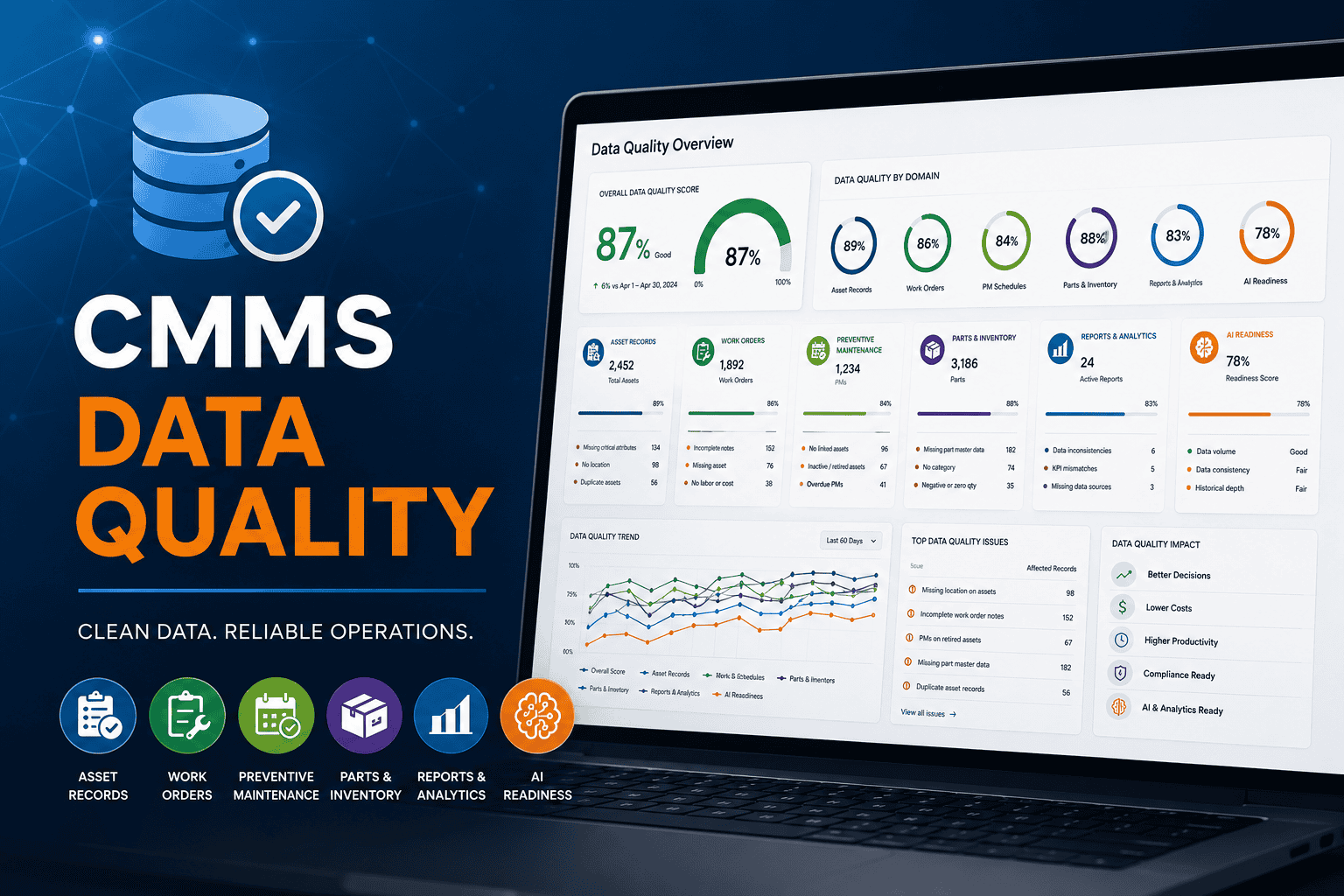
CMMS Data Quality: How to Clean Maintenance Data
A CMMS is only as useful as the data inside it. When asset records, work orders, PM schedules, parts, and reports are inaccurate or inconsistent, maintenance teams lose visibility and confidence in the system.
Maintenance teams often invest in CMMS software to improve work orders, preventive maintenance, asset tracking, inventory, reporting, and planning. However, a system filled with duplicate assets, missing locations, outdated PM schedules, incomplete work order notes, or inaccurate parts records can quickly become frustrating to use.
In addition, Bad data leads to poor maintenance decisions. For example, technicians may stop trusting asset records, while supervisors may assign work to the wrong location. Meanwhile, PM schedules may continue running on retired equipment. Reports can then show misleading KPIs, and leadership may question whether the CMMS produces reliable information.
Moreover, poor data becomes an even larger problem when an organization wants to explore AI-assisted maintenance or predictive maintenance. These technologies depend on trustworthy source data.
What Is CMMS Data Quality?
CMMS data quality refers to the accuracy, completeness, consistency, and usefulness of maintenance data stored in a computerized maintenance management system.
Good CMMS data allows maintenance teams to answer practical questions quickly and confidently:
For example, A CMMS may contain thousands of records. Yet if those records are duplicated, outdated, incomplete, or inconsistent, the system may not support reliable decisions.
Why CMMS Data Quality Matters
Many organizations focus heavily on software features during CMMS selection. However, features matter only when the quality of the data inside the system often determines whether those capabilities are useful.
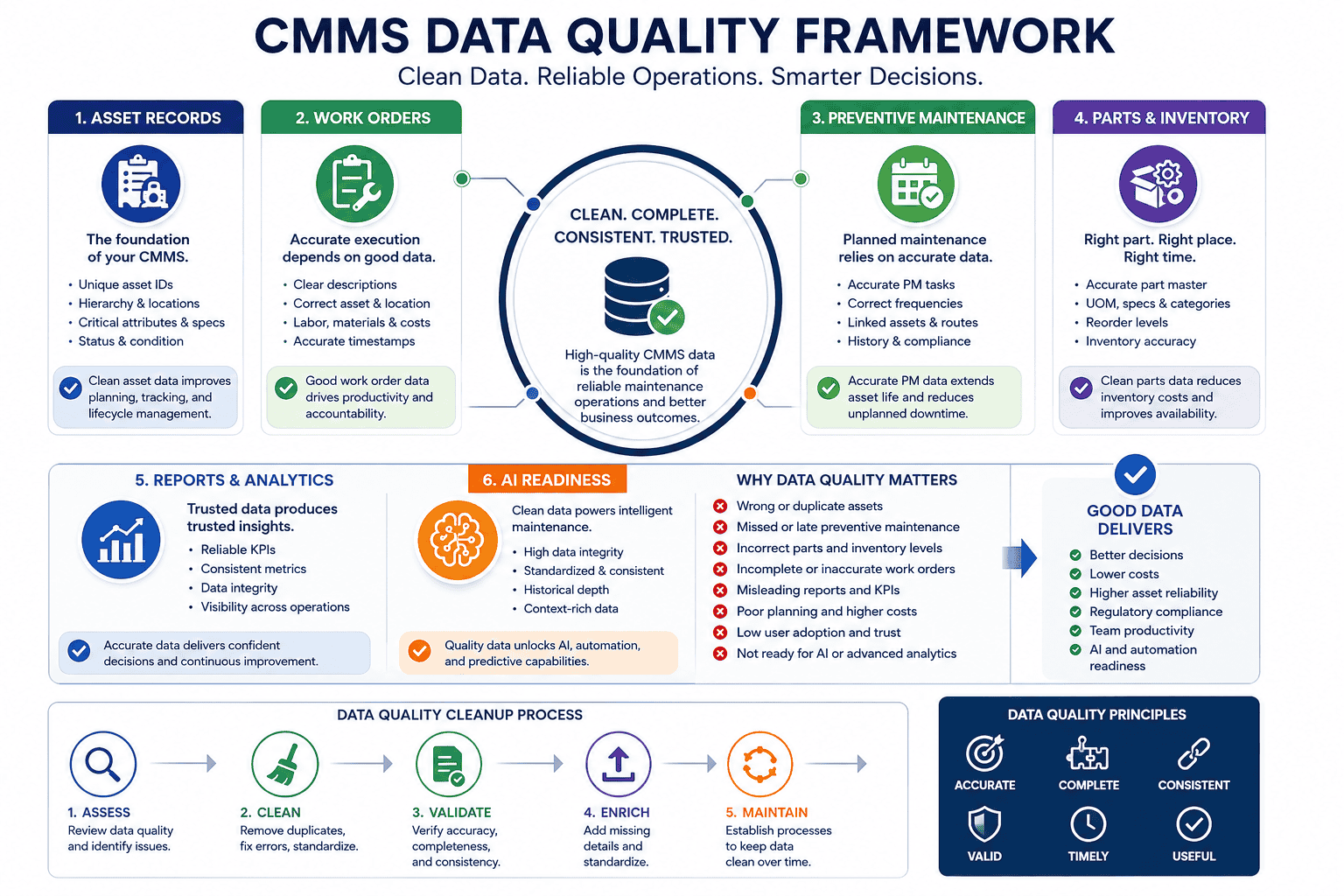
For example, asset management depends on accurate asset records. Preventive maintenance depends on reliable schedules and frequencies. Inventory planning depends on correct part numbers and quantities. Likewise, reporting depends on technicians completing work orders consistently.
| Maintenance Area | Data It Depends On | What Happens When Data Is Poor |
|---|---|---|
| Work orders | Asset, location, priority, assignment, closeout notes | Work is misrouted, delayed, or poorly documented |
| Preventive maintenance | Asset status, task instructions, frequency, labor estimates | PMs are missed, duplicated, or assigned to retired assets |
| Inventory | Part numbers, descriptions, stock levels, vendors, reorder points | Repairs slow down and purchasing decisions become unreliable |
| Reports and KPIs | Complete work history, labor, parts, downtime, failure data | Leadership sees misleading costs, trends, and performance metrics |
| AI and predictive maintenance | Consistent asset, failure, work order, and condition data | Recommendations may be incomplete, inaccurate, or difficult to trust |
The Most Common CMMS Data Problems
Duplicate Asset Records
Duplicate assets are among the most common CMMS data problems. For example, the same air handler might appear as “AHU-1,” “Air Handler 1,” “AHU Building A,” and “HVAC Unit 001.”
As a result, when work orders are split across several records, asset history becomes unreliable. As a result, technicians may miss past repairs, managers may undercount failures, and reports may not show the asset’s full maintenance cost.
Missing or Incorrect Locations
Maintenance teams need to know exactly where assets are located. For example, a work order that says “pump not working” is far less useful than one tied to a specific site, building, floor, room, production line, and asset.
Inconsistent Asset Naming
Likewise, if one technician calls an asset “Boiler 1,” another uses “BLR-01,” and another enters “North Boiler,” searching and reporting become harder.
Incomplete Work Order History
Work order history helps technicians troubleshoot recurring problems and helps managers evaluate asset performance. However, that history loses value when records omit failure descriptions, labor hours, parts used, corrective actions, completion dates, or follow-up work.
Poor Failure Codes
Therefore, Failure codes can help teams analyze recurring issues, but only when users apply them consistently. Otherwise, too many choices create confusion, while too few create vague data.
Outdated Preventive Maintenance Schedules
Meanwhile, PM schedules become outdated when assets are retired, frequencies no longer match operating conditions, tasks are duplicated, or instructions remain vague.
Inaccurate Parts and Inventory Data
In addition, parts data affects repair speed, purchasing, stock availability, and inventory planning. Common problems include duplicate part numbers, missing descriptions, incorrect quantities, missing vendor data, and parts usage that never gets recorded on work orders.
How Bad CMMS Data Affects Maintenance Workflows
How Bad Data Affects Work Orders
Work orders rely on accurate asset, location, priority, assignment, labor, parts, and closeout information. Therefore, when technicians cannot trust this information, they often return to phone calls, paper notes, memory, and personal workarounds.
Good work order data should clearly show:
How Bad Data Affects Preventive Maintenance
Similarly, preventive maintenance depends on accurate asset and schedule data. Poor PM data can create missed tasks, duplicate work, unrealistic frequencies, incorrect assignments, unreliable compliance reports, and weak inspection documentation.
Good PM data should include the asset, location, task instructions, frequency, assigned role, estimated labor time, required parts or tools, safety notes, and completion requirements.
How Bad Data Affects Reports and KPIs
Ultimately, reports are only as reliable as the records behind them. If technicians do not record labor, parts, failure details, or downtime consistently, maintenance leaders may see misleading KPIs.
Bad CMMS data can distort:
Why AI and Predictive Maintenance Need Clean CMMS Data
However, AI-assisted maintenance and predictive maintenance tools may help teams identify patterns, support planning, and detect potential failure risks. Nevertheless, they do not remove the need for clean maintenance data. They depend on it.
Before investing heavily in AI-enabled maintenance or predictive analytics, maintenance leaders should ask:
Therefore, if the answer to several of these questions is no, data cleanup should come before advanced analytics.
CMMS Data Cleanup Checklist
Next, use the following process before implementation, during migration, or when improving an existing system.
Audit Asset Records
First, review duplicate assets, missing locations, missing IDs, incorrect asset types, retired equipment, inconsistent naming, missing manufacturer or model data, and missing criticality ratings. Start with critical assets.
Standardize Naming Conventions
Then, create documented naming rules for assets, locations, parts, PM tasks, work order types, priorities, and failure codes.
Clean Location Hierarchies
Meanwhile, Afterward, confirm that each asset belongs to the correct site, building, department, area, room, or production line.
Review Preventive Maintenance Schedules
Next, check active PMs for duplicate tasks, retired assets, missing instructions, unrealistic frequencies, missing labor estimates, missing tools, and missing safety notes.
Clean Work Order Categories
In addition, review work order types and priorities. Keep the structure simple enough for technicians and supervisors to use consistently.
Review Failure Codes
Then, remove unclear, duplicated, or rarely used codes. Add new codes only when they support meaningful analysis.
Validate Parts and Inventory Data
Likewise, review duplicate part numbers, missing descriptions, incorrect quantities, vendor data, reorder points, asset links, and obsolete stock. Focus on critical spares first.
Define Required Closeout Fields
Next, decide which details technicians must enter before closing work orders, such as work completed, labor time, parts used, asset condition, failure cause, and follow-up needs.
Assign Data Ownership
After that, define who can create assets, approve changes, update PM schedules, manage parts records, review work order quality, and audit reports.
Schedule Regular Data Reviews
Finally, review new records, duplicates, overdue PMs, incomplete work orders, parts accuracy, report reliability, and user feedback on a recurring schedule.
What Maintenance Data Should You Clean First?
| Priority | Data to Clean | Why It Comes First |
|---|---|---|
| 1 | Critical assets | They affect safety, compliance, production, service delivery, and major operating costs. |
| 2 | Active PM schedules | They generate recurring work and directly affect maintenance compliance. |
| 3 | Open work orders | They affect the current backlog, technician workload, and daily priorities. |
| 4 | Frequently used and critical parts | They influence repair speed, PM completion, inventory availability, and purchasing. |
| 5 | Leadership reports | They support staffing, budgeting, compliance, and performance decisions. |
How to Keep CMMS Data Clean After Go-Live
However, CMMS data cleanup is not a one-time project. Without ownership and recurring review, data quality will decline again.
Ongoing CMMS data governance checklist:
Likewise, Fortunately, CMMS data governance does not need to be complicated. Instead, it needs to be consistent, practical, and connected to real maintenance decisions.
How MicroMain Supports Better Maintenance Data Management
For example, MicroMain supports maintenance teams with CMMS capabilities such as work order management, preventive maintenance scheduling, asset management, inventory tracking, maintenance documentation, and reporting.
These capabilities become more useful when asset records, PM schedules, work orders, parts, and reports are maintained consistently. As a result, teams gain better visibility into maintenance work and can make more informed planning decisions.
Therefore, organizations implementing or improving a CMMS should treat data quality as part of the maintenance strategy—not merely as a technical setup task.
Final Takeaway
Ultimately, CMMS data quality affects work orders, preventive maintenance, inventory, reports, KPIs, technician trust, leadership confidence, and future readiness for AI or predictive maintenance.
A CMMS with poor data can become a source of confusion. In contrast, a CMMS with clean, consistent, and useful data can become a strong foundation for maintenance planning and decision-making.
First, start with critical assets, active PMs, open work orders, frequently used parts, and the reports leadership depends on. Then create an ongoing process to keep the data clean after go-live.
Frequently Asked Questions
What is CMMS data quality?
Ultimately, CMMS data quality refers to the accuracy, completeness, consistency, and usefulness of maintenance data stored in a computerized maintenance management system.
Why is maintenance data quality important?
In practice, work orders, preventive maintenance schedules, reports, KPIs, asset history, inventory, planning, and future AI initiatives all depend on accurate maintenance information.
What data should be cleaned before CMMS implementation?
For instance, teams should clean asset records, locations, PM schedules, parts and inventory records, user lists, work order categories, priorities, and failure codes.
How do duplicate asset records affect maintenance?
As a result, duplicate records split maintenance history across several assets, which makes it harder to understand true costs, failures, downtime, and work order trends.
How does bad data affect preventive maintenance?
Likewise, bad data can create PMs for retired equipment, duplicate tasks, unclear instructions, unrealistic frequencies, incorrect assignments, and unreliable PM compliance reports.
Why are CMMS reports inaccurate?
Consequently, reports become inaccurate when work orders are incomplete, assets are duplicated, parts usage is missing, downtime is not tracked, or users enter information inconsistently.
How often should CMMS data be reviewed?
Although the right frequency depends on the operation, monthly or quarterly reviews are a practical starting point for many maintenance teams.
Who owns CMMS data quality?
Meanwhile, ownership may sit with a CMMS administrator, maintenance planner, reliability lead, maintenance manager, or shared governance team. The important step is assigning clear responsibility.
Does AI maintenance software need clean data?
Consequently, Yes. In addition, AI-assisted maintenance depends on accurate asset records, reliable work order history, preventive maintenance data, parts usage, failure history, downtime records, and consistent user adoption.
How can a CMMS improve maintenance data management?
Finally, a CMMS can centralize records, standardize work order processes, organize assets, schedule PMs, track inventory usage, and support maintenance reporting.
Ready for Cleaner, More Reliable CMMS Data?
See how MicroMain helps maintenance teams organize asset records, improve work order quality, strengthen preventive maintenance, and create more dependable reports.